Discover the Elton charging app
Charge your EV with many charging companies across the Nordics in one app. Find a charger, start charging and pay – no subscription, no RFID tag.


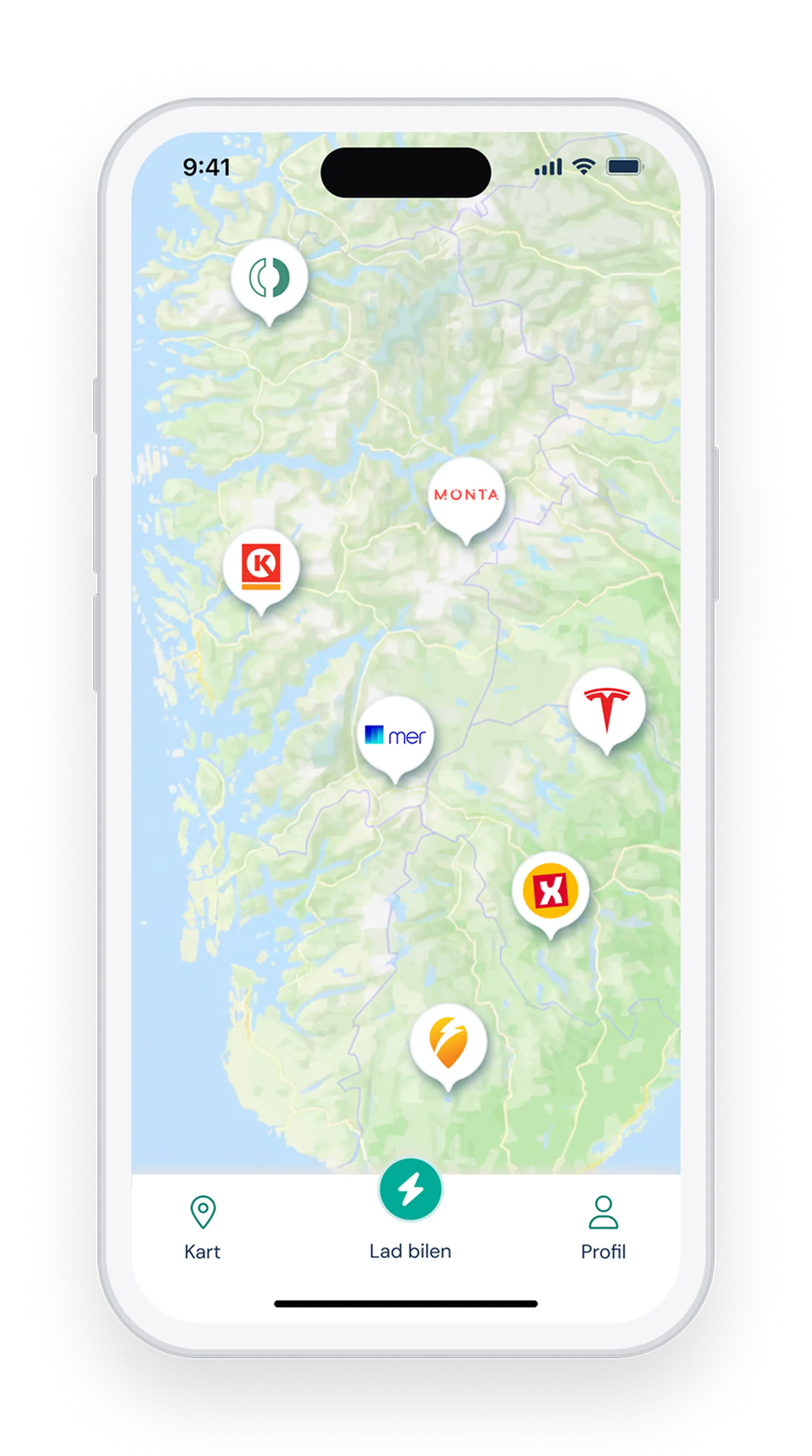
Charge with many operators in one app:
Mer, Tesla, Kople, Circle K, Uno-X and many more – in one simple app. No need for a separate app and account for each company.
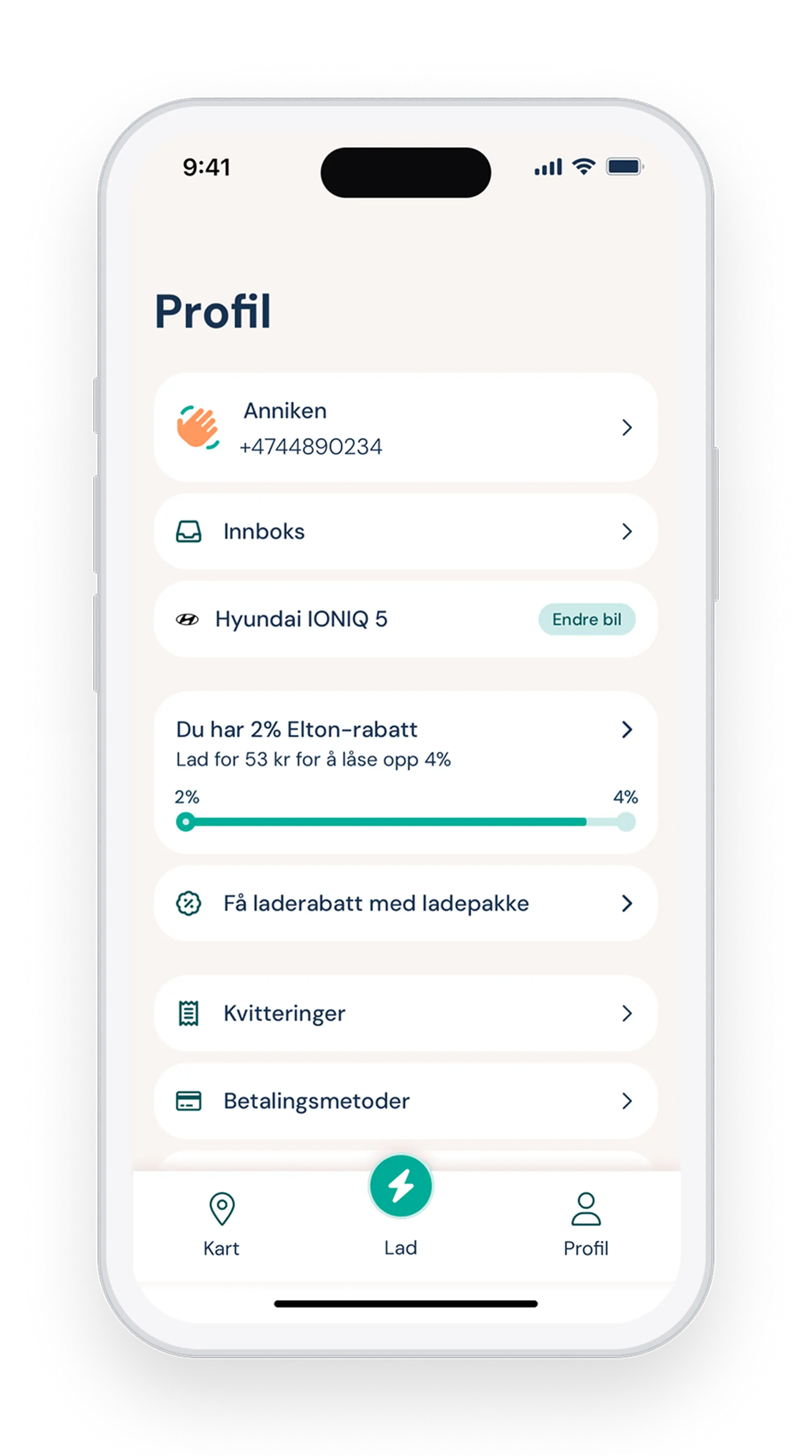
Pay only for what you charge:
No subscription, no commitment. Pay for each session with Vipps, card, Apple Pay or Google Pay. Every time you charge, your Elton discount grows – up to 6% with every operator.
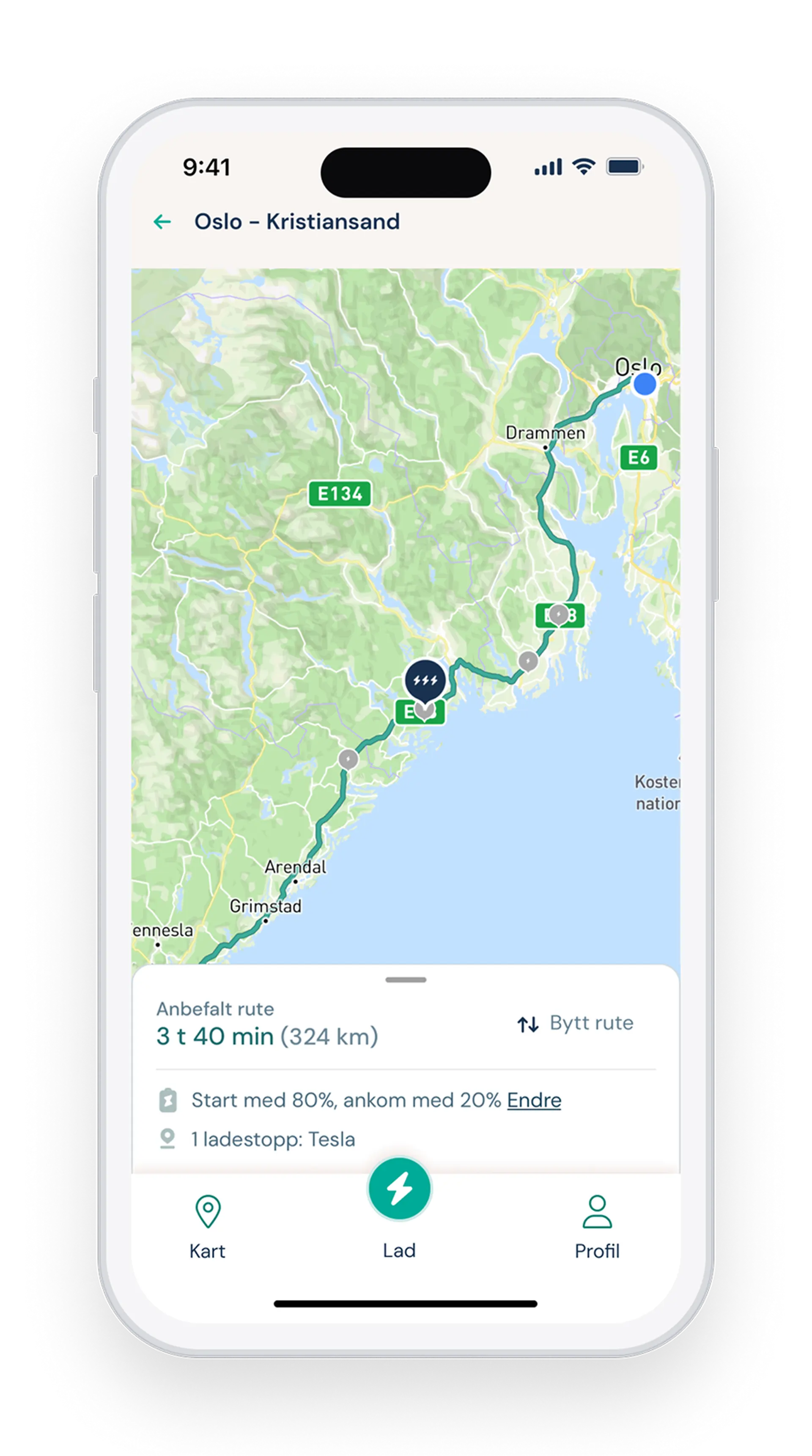
Plan your trip with charging stops:
Enter where you’re going and how much battery you have. The route planner finds the best charging stops along the way, so you arrive with as much charge as you want.
Frequently asked questions
The most common questions about charging with Elton.
How do I charge with Elton?
Charging with Elton is easy. Here’s how:
Plug in your car. The app shows which connector types each station has, so you know where your car can charge.
Tap «Charge» in the app. You’ll find the button at the bottom of the app. It also appears when you tap a charging station on the map or in the route planner.
Choose a charger and start charging. Select the charger your car is plugged into, choose how to pay and tap «Start charging». It can take up to two minutes for charging to begin, depending on the charger.
Stop charging in the app. Tap «Stop charging». Some cars also require you to end the session from inside the car. If the cable stays locked afterwards, that’s usually why.
Find your receipt. All your receipts and your full charging history are under «Profile» at the bottom of the app. There you can also see how much discount you got on each session.
Where can I charge?
With Elton you can charge with the operators we partner with in Norway, Sweden, Denmark and Finland. These include Tesla, Mer, Circle K, Uno-X, Kople, Ionity, Clever, Recharge and Porsche. See all charging operators.
We’re adding new ones all the time. The app shows information about every charging station, including the ones you can’t charge at with Elton yet.
Do I need an RFID tag?
No. With Elton you start charging in the app, so you don’t need an RFID tag. Elton doesn’t offer a tag you can order, and you can’t add tags from other charging companies to the app.
What does it cost to charge with Elton?
The price is set by the charging operator and varies with location and charging speed. You’ll see the price of the charger in the app before you start.
When you start charging, we reserve NOK 150 on your card, or NOK 600 if you pay with Vipps, to check that the funds are available. When charging is done, we only charge what the session cost and release the rest. If you pay by card, we release the remainder within 24 hours, but it can take up to seven days before your bank shows the correct amount.
Download Elton now
Elton is free to download. No subscription fee, no commitment.